Unstake
During unstake, user sRAZOR token gets locked in contract. User can initiate withdraw for locked tokens in the next epoch.
In Short:
Unstaking and withdrawing funds from Razor Network is a 3 step process.
Unstake: After unstaking, the users sRAZOR tokens are locked in the Stake Manager contract for
unstakeLockPeriodwhich is currently 300 epochs. There is a time period set in which the user must call Initiate Withdraw and proceed to the next phase of the lock. Currently, thewithdrawInitiationPeriodset is 150 epochs (Check current network parameters here). If user Unstaked in epochTthe user must call Initiate Withdraw after epochT + 300and beforeT + 450epoch. Note : Failing to call Initiate Withdraw within the specified epochs will result in a penalty via Reset Lock.Initiate Withdraw: This call is not allowed in Propose and Dispute States. If the current state is Propose or Dispute, wait for a few minutes before making the call. The initiate withdraw call will only succeed if the User has locked RAZOR and if the current epoch is within the
withdrawInitiationPeriod. The users sRAZOR are burnt for RAZOR tokens, and locked forwithdrawLockPeriodwhich is currently 300 epoch.Withdraw: Lastly, withdraw can be called anytime after the
withdrawLockPeriodepochs has passed.
Note: Please check the current network parameters here.You can get the stakers sRAZOR address by clicking on the + icon on that stakers delegate/unstake modal.
Using Razorscan (Recommended for beginners)
Step 1
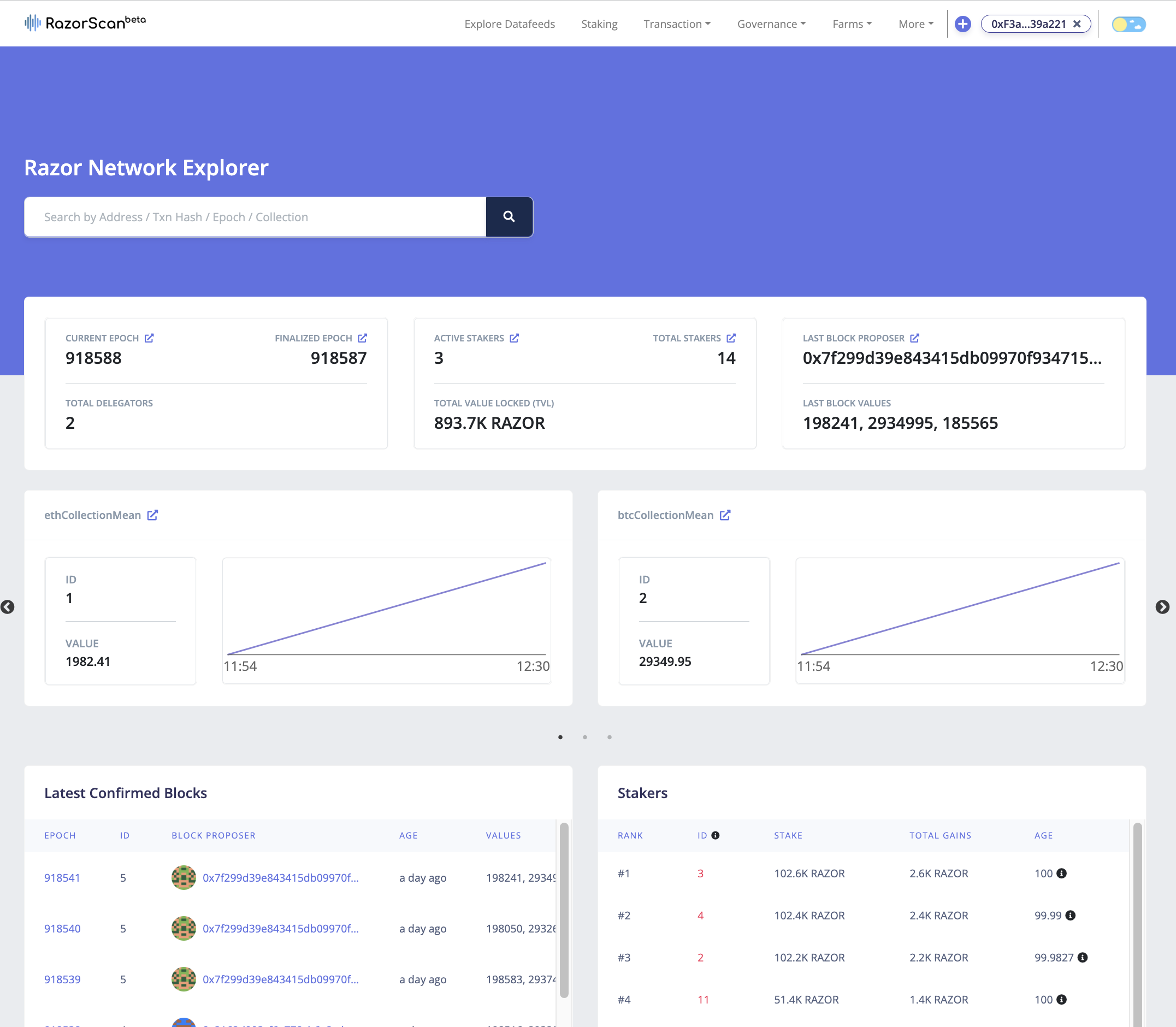
Visit https://razorscan.io/
Note: We recommend that all Delegators bookmark this specific URL to prevent any phishing attacks.
Step 2
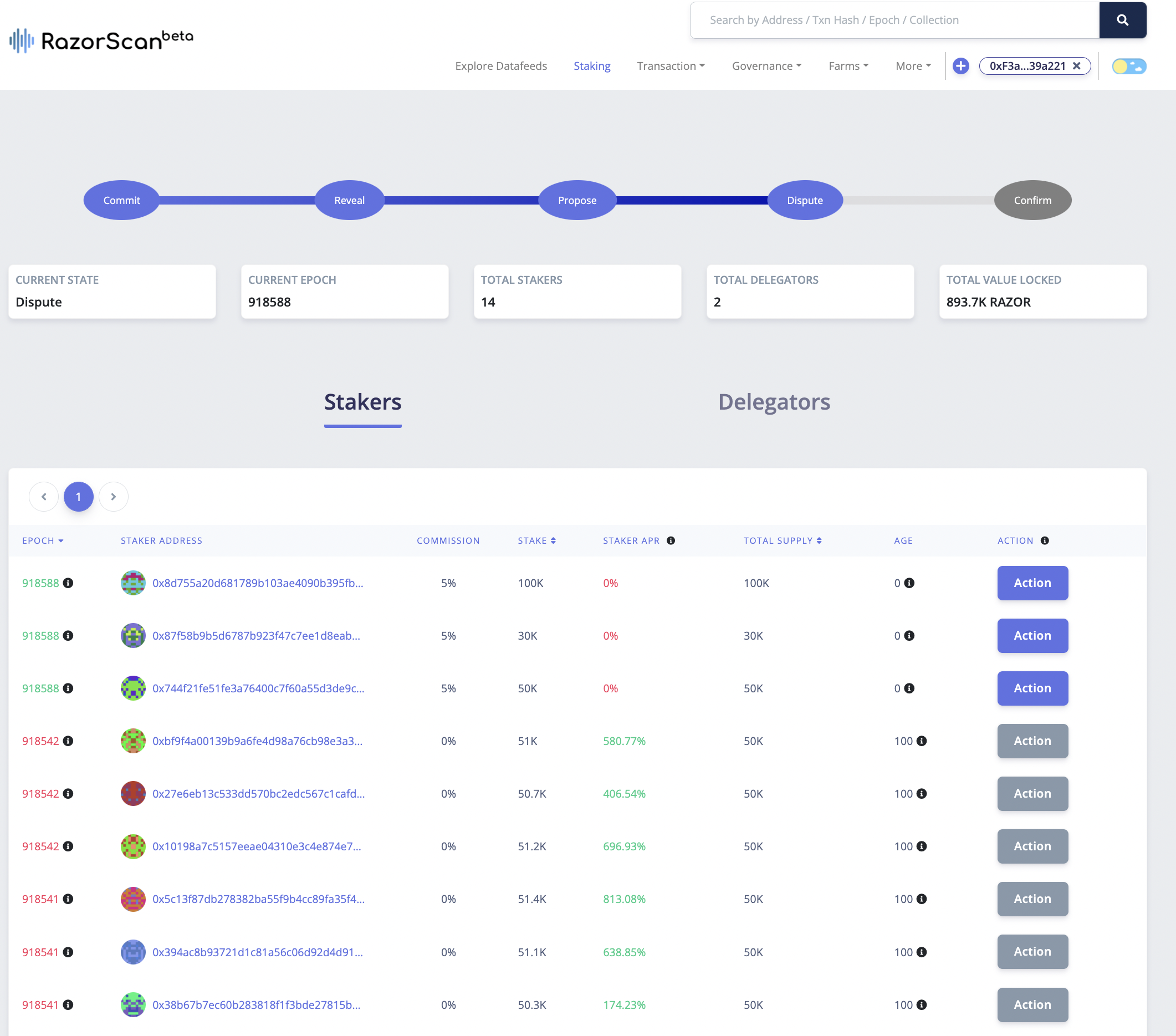
Now, click on “Connect Wallet” from the top right corner and make sure your network is set to "Europa Defi Hub". Next, visit https://razorscan.io/staking or click on “Staking” from the menu bar on the header and you should see the screen below:
Note: This can also be done from the particular staker or delegator page.
Step 3
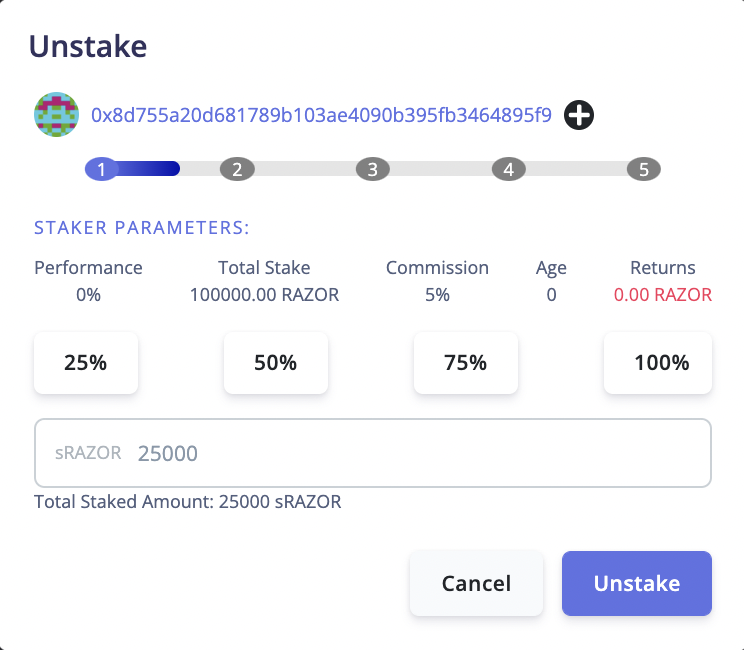
Navigate to staker address and Click on the Unstake action from the Actions dropdown on the stakers list table.
Note: Users can add the stakers sRAZOR address using the + icon near the stakers address.
Step 4
Once both transactions are successful, Initiate Withdraw will need to be called after the unstakeLockPeriod and within the withdrawInitiationPeriod.
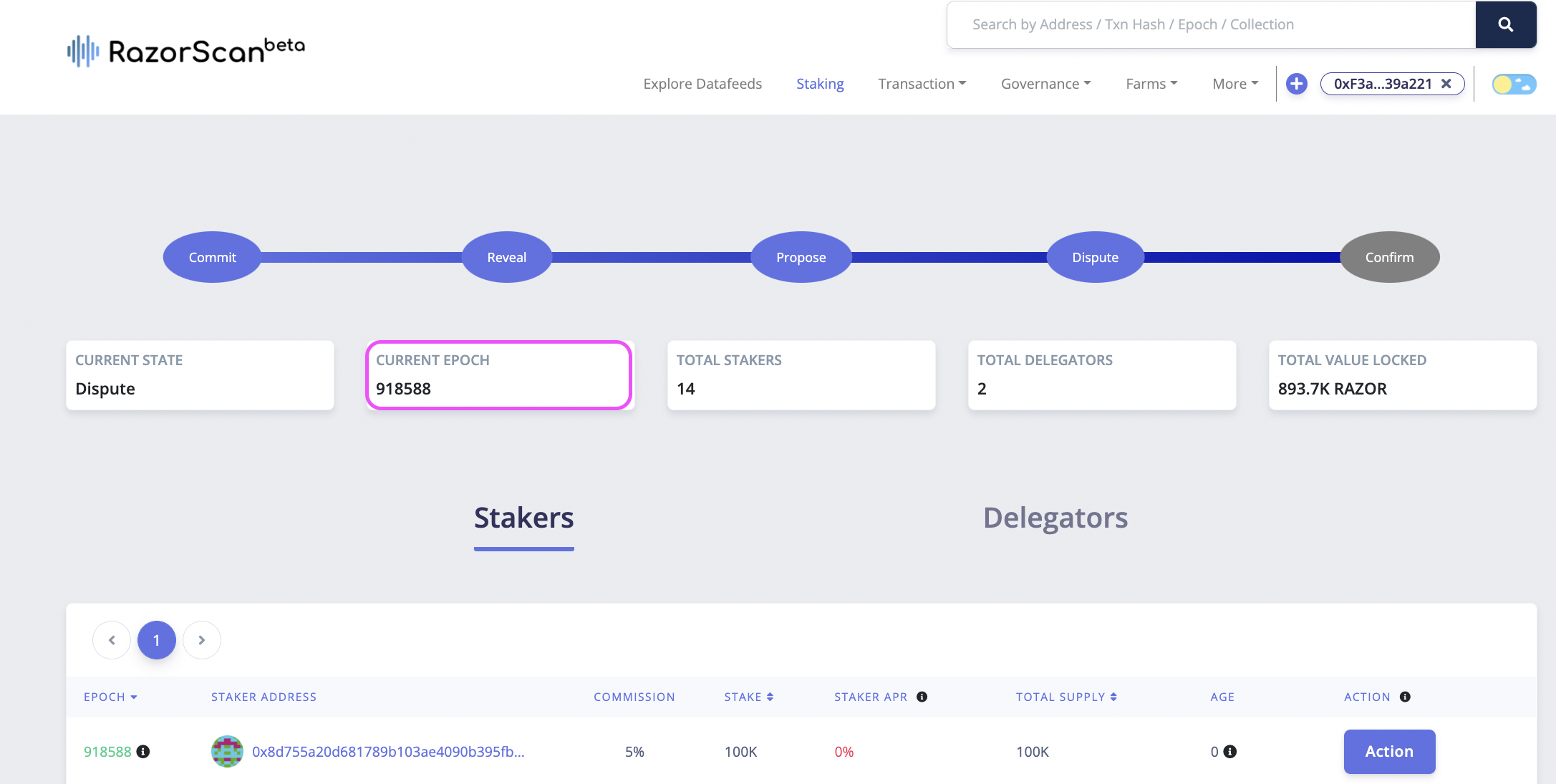
Note: To get the exact values of the lock periods check Governance here.
Using SKALE Block Explorer (Alternative method)
This method allows you to unstake directly by interacting with the StakeManager smart contract through the SKALE Block Explorer. This is recommended for advanced users who are comfortable with direct contract interaction.
Prerequisites
Before unstaking via the block explorer, ensure you have:
- Metamask wallet installed and configured
- Europa Defi Hub network added to Metamask (see network details)
- sRZR tokens (staked RAZOR tokens) in your wallet
- sFUEL tokens for gas fees (get from SKALE Portal after connecting wallet)
- Staker ID for the staker you want to unstake from
- No existing locks - you cannot have an existing unstake or withdraw lock
Contract Addresses
Mainnet (Europa Defi Hub):
- StakeManager:
0xd492408e4901CF658c7874285984F6D5Db648D1E
Testnet (Europa Defi Hub Testnet):
- StakeManager:
0xbeCf5d1b74d0C2A6388c65491BBb4aD3880cD012
Step-by-Step Instructions
Step 1: Find Your Staker ID
You need to know the Staker ID for the validator you're unstaking from:
- Visit the StakeManager contract on the block explorer (links above)
- Go to the "Read Contract" tab
- Find the
getStakerIdfunction - Enter your wallet address (if you're a staker) or the validator's address (if you delegated)
- Click "Query" - the result is the Staker ID
Alternatively, you can find your Staker ID on Razorscan.
Step 2: Check Your sRZR Balance
You need to know how much sRZR (staked RAZOR) you have:
Method 1: Using Razorscan
- Visit Razorscan
- Connect your wallet
- View your staking information to see your sRZR balance
Method 2: Using Block Explorer
- Find the sRZR token contract address for your staker (each staker has a unique sRZR token)
- Query the
balanceOffunction with your address - The result is your sRZR balance in wei
Step 3: Approve sRZR Transfer
Before unstaking, you must approve the StakeManager contract to transfer your sRZR tokens:
Visit the sRZR Token contract on the block explorer
- You can find the sRZR token address by querying the
getStakerfunction with your Staker ID - Look for the
tokenAddressfield in the result
- You can find the sRZR token address by querying the
Click "Connect Wallet" and approve the Metamask connection
Navigate to the "Write Contract" tab
Find the
approvefunctionFill in the parameters:
- spender (address): Enter the StakeManager contract address:
- Mainnet:
0xd492408e4901CF658c7874285984F6D5Db648D1E - Testnet:
0xbeCf5d1b74d0C2A6388c65491BBb4aD3880cD012
- Mainnet:
- amount (uint256): Enter the sRZR amount in wei that you want to unstake
- spender (address): Enter the StakeManager contract address:
Click "Write" and confirm the transaction in Metamask
Wait for the transaction to be confirmed
Step 4: Navigate to StakeManager Contract
Visit the StakeManager contract on the block explorer:
Ensure your wallet is connected
Step 5: Execute Unstake Function
Navigate to the "Write Contract" tab
Scroll down and find the
unstakefunctionFill in the parameters:
- stakerId (uint32): Enter the Staker ID from Step 1 (e.g.,
42) - sAmount (uint256): Enter the amount of sRZR to unstake in wei (e.g.,
1000000000000000000000for 1000 sRZR)
- stakerId (uint32): Enter the Staker ID from Step 1 (e.g.,
Click "Write" to submit the transaction
Review the transaction details in the Metamask popup
Click "Confirm" in Metamask
Important Notes:
- The amount is in sRZR (staked RAZOR), not RAZOR
- You must not have an existing unstake or withdraw lock
- After unstaking, your sRZR tokens will be locked for
unstakeLockPeriod(currently 300 epochs) - You must call Initiate Withdraw within the
withdrawInitiationPeriod(150 epochs)
Step 6: Verify Transaction
- After confirming in Metamask, wait for the transaction to be processed
- Once confirmed, you'll see a success message in the block explorer
- Click on the transaction hash to view transaction details
- You can verify your unstake by:
- Checking the transaction logs for an
Unstakedevent - Visiting your wallet on Razorscan to see your lock status
- Checking the transaction logs for an
Step 7: Next Steps
After successfully unstaking:
- Wait for unstakeLockPeriod (currently 300 epochs) to pass
- Call Initiate Withdraw within the withdrawal initiation window
- If you miss the window, you'll need to call Reset Lock (which incurs a penalty)
Common Issues and Troubleshooting
Transaction fails with "Existing Withdraw Lock"
- You already have a pending withdraw lock
- Complete the withdrawal process first before unstaking again
Transaction fails with "Existing Unstake Lock"
- You already have a pending unstake lock
- Complete the initiate withdraw and withdrawal process, or use Reset Lock
Transaction fails with "Invalid Amount"
- You don't have enough sRZR tokens
- Check your sRZR balance using Step 2
Transaction fails with "Non-Positive Amount"
- The sAmount parameter is 0 or invalid
- Enter a value greater than 0
Transaction fails with "Nonpositive stake"
- The staker has no stake
- Verify you're using the correct Staker ID
Transaction fails with "staker.id = 0"
- Invalid Staker ID
- Double-check the Staker ID is correct
Transaction fails with "ERC20: insufficient allowance"
- You didn't complete Step 3 (sRZR approval), or approved an insufficient amount
- Go back to Step 3 and approve the correct amount
Understanding sRZR Tokens
What is sRZR?
- sRZR (staked RAZOR) is an ERC20 token that represents your stake in a specific validator
- Each validator has their own unique sRZR token contract
- The ratio of sRZR to RAZOR changes based on rewards and penalties
- When you stake/delegate, you receive sRZR tokens
- When you unstake, you burn sRZR tokens to begin the withdrawal process
sRZR to RAZOR Conversion:
- The conversion rate is:
RAZOR amount = (sRZR amount × total staker stake) / total sRZR supply - This rate improves over time as rewards are earned
- You can view this ratio on Razorscan
Wei Conversion Helper
To convert sRZR amounts to wei for the smart contract:
- 100 sRZR =
100000000000000000000wei - 1000 sRZR =
1000000000000000000000wei - 5000 sRZR =
5000000000000000000000wei
Formula: sRZR amount × 1,000,000,000,000,000,000
Lock Periods
Current network parameters (verify on Razorscan Governance):
- unstakeLockPeriod: 300 epochs (time before you can call initiate withdraw)
- withdrawInitiationPeriod: 150 epochs (window to call initiate withdraw)
- withdrawLockPeriod: 300 epochs (time after initiate withdraw before you can withdraw)
Related Operations
After unstaking, you must complete the withdrawal process:
- Wait for unstakeLockPeriod to pass
- Initiate Withdraw - Burn sRZR and lock RAZOR
- Wait for withdrawLockPeriod to pass
- Withdraw - Claim your RAZOR tokens
If you miss the withdrawal initiation window:
- Reset Lock - Extend the unstake lock (incurs penalty)