Delegate
Razor network is a proof of stake network. In order to participate in the network as a delegator, you will need to "Delegate" your RAZORs. RAZOR is (ERC20 token standard) the native token in Razor Network.
In order to delegate, you will also need some RAZOR tokens on Europa Defi Hub. You can bridge RAZOR tokens from Ethereum to Europa Defi Hub using SKALE Portal Bridge. More info regarding RAZOR Token bridge can be found here. To pay transaction fees on Europa Defi Hub you will require sFUEL to pay for gas. Get sFUEL from SKALE Portal after connecting your wallet.
Metamask Setup
- Click on
Connect Walleton the official Razor Network client https://razorscan.io/. - Switch to the Europa Defi Hub Network and connect Metamask wallet.
- Click on the
+icon to add the RAZOR contract address. - Alternatively, contract addresses and network details can be found here if you would like to verify the addresses manually.
Note: You can get the stakers sRAZOR address by clicking on the + icon on that stakers delegate/unstake modal.
Using Razorscan (Recommended for beginners)
Step 1
Visit https://razorscan.io/
Note: We recommend that all Delegators bookmark this specific URL to prevent any phishing attacks.
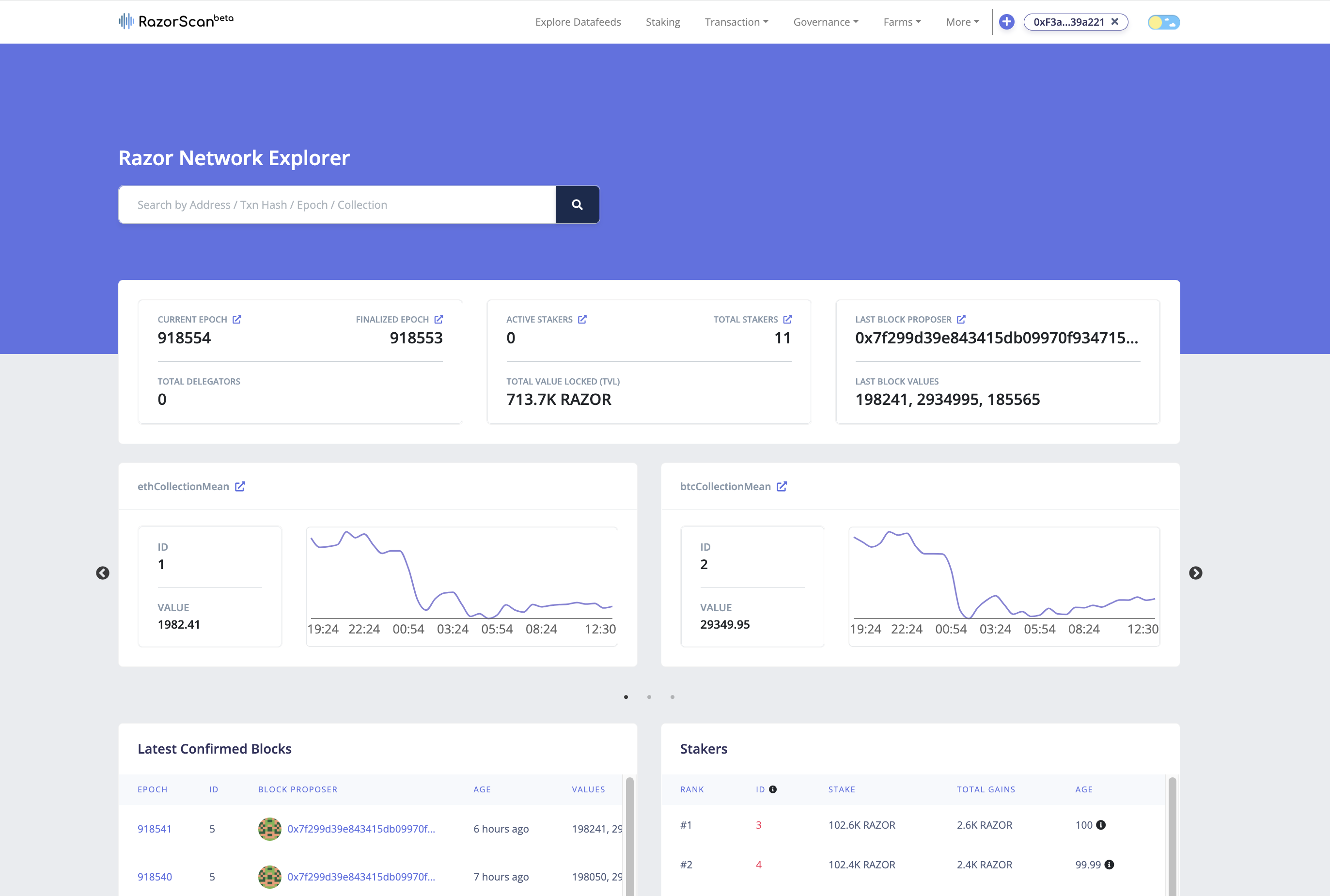
Step 2
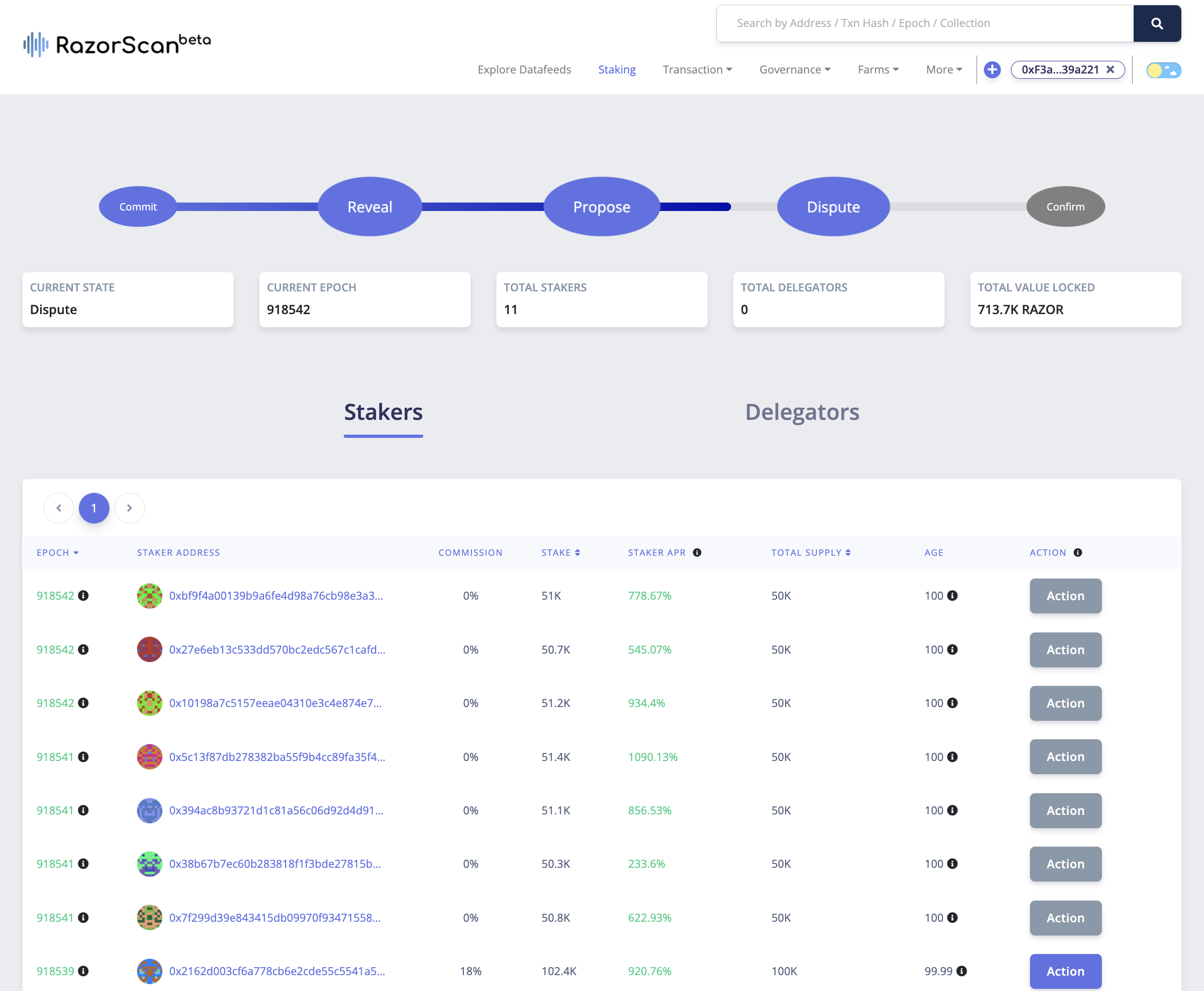
Now, click on “Connect Wallet” from the top right corner and make sure your network is set to "Europa Defi Hub". Next, visit https://razorscan.io/staking or click on “Staking” from the menu bar on the header and you should see the screen below:
Step 3
Click on the “Action” button next to the staker of your choice to delegate your RAZOR tokens to them. You can choose a staker based on activity, commission, stake, APR, age, etc.
Note: Commission here refers to the percentage of the rewards earned on the delegated funds charged by the staker.
Step 4
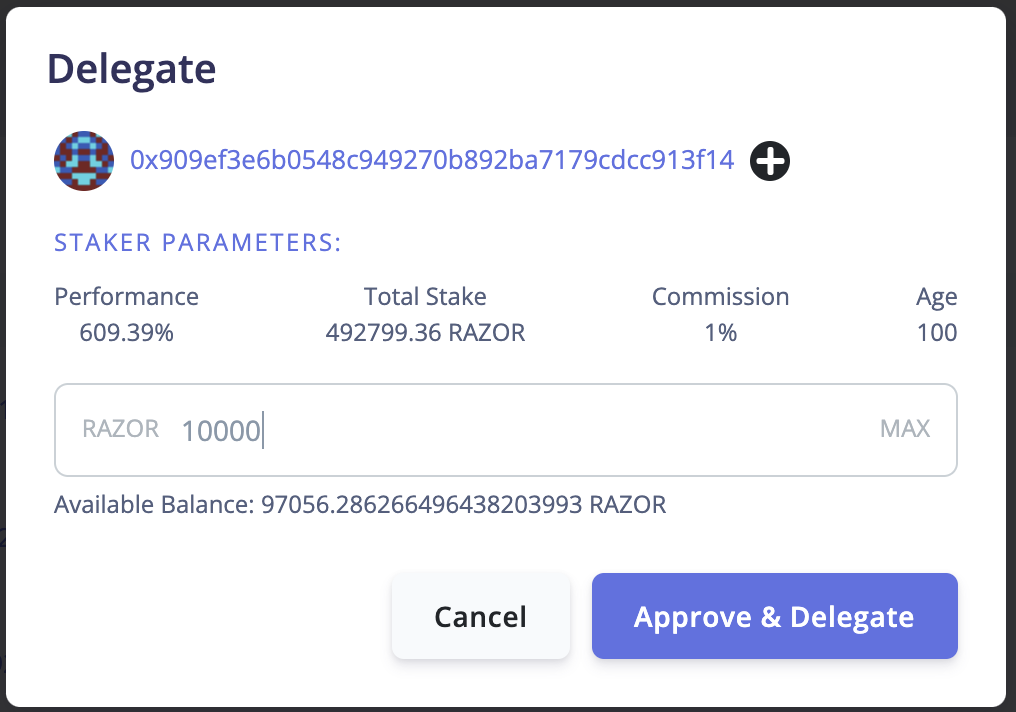
Click on the Delegate action, you will be shown a modal with more information on the staker. Input the number of RAZOR tokens you want to delegate and click on “Approve & Delegate”.
Note: Make sure the network is correct and the connected wallet has RAZOR and enough tokens for gas as required.
Step 5
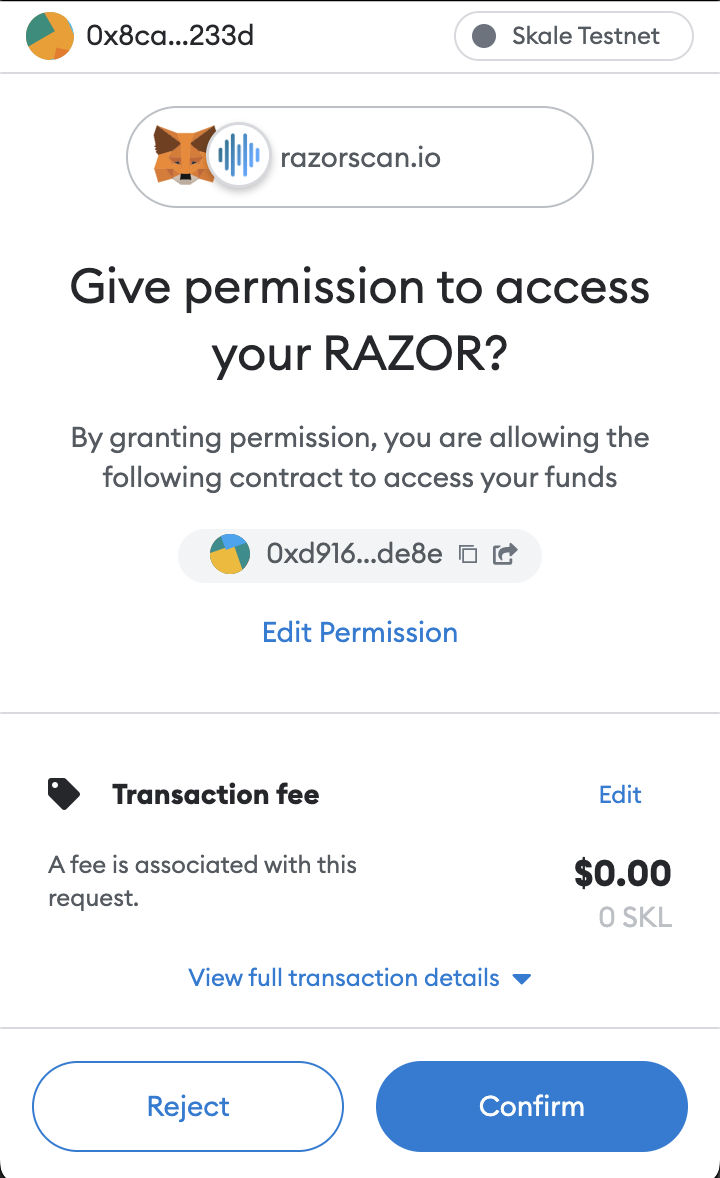
On the Metamask popup click on “Confirm”. There will be an update on the web application once the transactions are successful.
Note: Two transactions, the first to Approve and the second to Delegate tokens. Make sure to confirm both.
Step 6
Click on your connected wallet address to get information on your actions.
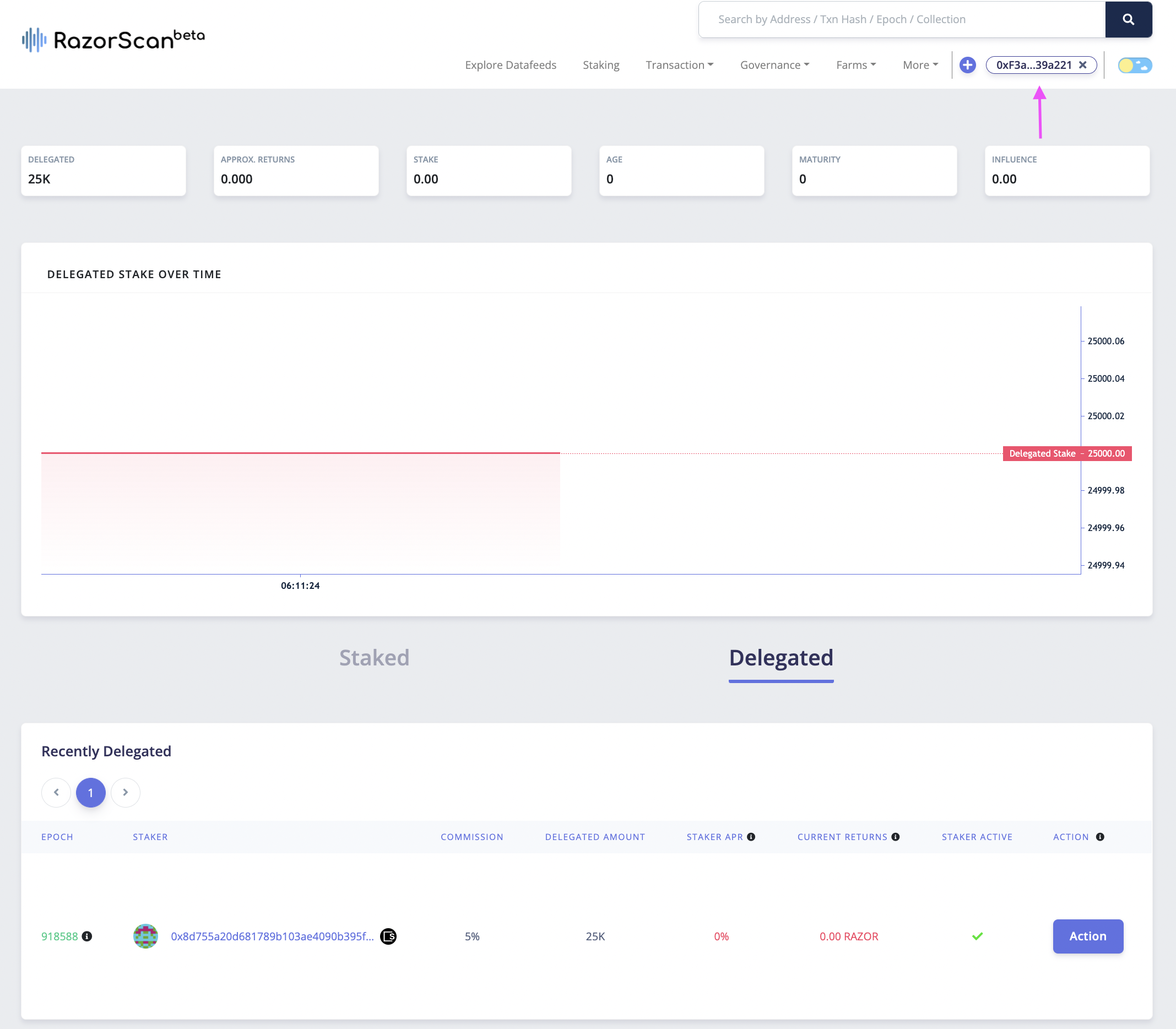
Using SKALE Block Explorer (Alternative method)
This method allows you to interact directly with the StakeManager smart contract through the SKALE Block Explorer. This is recommended for advanced users who are comfortable with direct contract interaction.
Prerequisites
Before delegating via the block explorer, ensure you have:
- Metamask wallet installed and configured
- Europa Defi Hub network added to Metamask (see network details)
- RAZOR tokens on Europa Defi Hub (bridge from Ethereum via SKALE Portal)
- sFUEL tokens for gas fees (get from SKALE Portal after connecting wallet)
- Staker ID of the validator you want to delegate to
Contract Addresses
Mainnet (Europa Defi Hub):
- StakeManager:
0xd492408e4901CF658c7874285984F6D5Db648D1E - RAZOR Token:
0xCA46B70cA3c510Ce9D0c43D25817032e2F5354c0
Testnet (Europa Defi Hub Testnet):
- StakeManager:
0xbeCf5d1b74d0C2A6388c65491BBb4aD3880cD012 - RAZOR Token:
0x99Be5a5749bA2bccfC4Bb6584cA0E405A16586C4
Step-by-Step Instructions
Step 1: Find the Staker ID
First, you need to know the Staker ID of the validator you want to delegate to. You can find this on Razorscan by looking at the staker list, or query it from the contract:
- Visit the StakeManager contract on the block explorer (links above)
- Go to the "Read Contract" tab
- Find the
getStakerIdfunction - Enter the validator's wallet address
- Click "Query" - the result is the Staker ID (note: returns 0 if the address is not a staker)
Step 2: Approve RAZOR Tokens
Before delegating, you must approve the StakeManager contract to spend your RAZOR tokens:
- Visit the RAZOR Token contract on the block explorer (use links above)
- Click "Connect Wallet" and approve the Metamask connection
- Verify your wallet is connected and you're on the correct network (Europa Defi Hub)
- Navigate to the "Write Contract" tab
- Find the
approvefunction - Fill in the parameters:
- spender (address): Enter the StakeManager contract address:
- Mainnet:
0xd492408e4901CF658c7874285984F6D5Db648D1E - Testnet:
0xbeCf5d1b74d0C2A6388c65491BBb4aD3880cD012
- Mainnet:
- amount (uint256): Enter the amount in wei (e.g., for 1000 RAZOR, enter
1000000000000000000000)
- spender (address): Enter the StakeManager contract address:
- Click "Write" and confirm the transaction in Metamask
- Wait for the transaction to be confirmed
Note: 1 RAZOR = 10^18 wei. To convert: multiply your RAZOR amount by 1000000000000000000
Step 3: Navigate to StakeManager Contract
Visit the StakeManager contract on the block explorer:
Ensure your wallet is still connected (if not, click "Connect Wallet" again)
Step 4: Execute Delegate Function
Navigate to the "Write Contract" tab
Scroll down and find the
delegatefunctionFill in the parameters:
- stakerId (uint32): Enter the Staker ID from Step 1 (e.g.,
42) - amount (uint256): Enter the delegation amount in wei (e.g., for 1000 RAZOR, enter
1000000000000000000000)
- stakerId (uint32): Enter the Staker ID from Step 1 (e.g.,
Click "Write" to submit the transaction
Review the transaction details in the Metamask popup
Click "Confirm" in Metamask
Important Notes:
- The staker must have delegation enabled (
acceptDelegation = true) - You cannot delegate to yourself if you're already a staker
- The staker must not be slashed
- Ensure you've completed the token approval in Step 2
Step 5: Verify Transaction
- After confirming in Metamask, wait for the transaction to be processed
- Once confirmed, you'll see a success message in the block explorer
- Click on the transaction hash to view transaction details
- You can verify your delegation by:
- Checking the transaction logs for a
Delegatedevent - Visiting your wallet on Razorscan to see your delegation
- Checking the transaction logs for a
Common Issues and Troubleshooting
Transaction fails with "Delegetion not accpected"
- The staker has not enabled delegation acceptance
- Choose a different staker who accepts delegation
Transaction fails with "ERC20: insufficient allowance"
- You didn't complete Step 2 (token approval), or approved an insufficient amount
- Go back to Step 2 and approve the correct amount
Transaction fails with "Staker cannot delegate themself"
- You're trying to delegate to your own staker ID
- Stakers cannot delegate to themselves; they should use the
stakefunction instead
Transaction fails with "Staker is slashed"
- The staker you're trying to delegate to has been slashed
- Choose a different staker
Invalid Staker ID
- Double-check the Staker ID is correct
- Ensure the staker exists by querying
getStakerwith the ID
Wei Conversion Helper
To convert RAZOR amounts to wei for the smart contract:
- 100 RAZOR =
100000000000000000000wei - 1000 RAZOR =
1000000000000000000000wei - 5000 RAZOR =
5000000000000000000000wei
Formula: RAZOR amount × 1,000,000,000,000,000,000
Related Operations
After delegating, you may want to: